Website Redesign Checklist: When and How to Redesign for Better Conversions
A practical guide to knowing when a website redesign is needed and how to improve user experience performance and conversions through a strategic process.
Shekhar Kushawah
-
February 5, 2026
[What Redesign Means]Understanding What a Website Redesign Actually Is
Website redesign is not a single solution. It exists on a spectrum, and understanding where your needs fall determines both approach and investment.
Visual Refresh: Updates to color schemes, typography, and imagery while maintaining existing structure. Appropriate when functionality works but aesthetics feel dated.
Technical Migration: Backend modernization—new CMS, improved hosting, updated security infrastructure. The user-facing experience may change minimally, but performance and maintainability improve significantly.
Comprehensive Redesign: Both visual interface and underlying user experience receive attention. This addresses UI design, UX patterns, mobile responsiveness, and content strategy simultaneously.
Complete Rebuild: Starting from foundation. Necessary when existing architecture cannot support current business requirements or when undergoing fundamental brand repositioning.
The distinction matters because cost, timeline, and outcomes differ substantially across these approaches.
Type of image: Advents Redesign ( Image credits — Tangle )
[When Redesign Matters]When a Website Redesign Becomes Necessary
Conversion Performance Falls Below Benchmark
Industry average conversion rates hover around 3%. When performance falls significantly below this threshold, the website itself becomes a revenue constraint.
Research indicates that seamless UX design can increase conversion actions by up to 4x. The implication is clear: interface friction has measurable business cost.
Mobile Experience Creates Barriers
45% of users report poor experiences with non-optimized mobile sites, resulting in 60% bounce rates. Given that mobile represents 59% of total e-commerce revenue, inadequate mobile design directly impacts bottom line performance.
Additionally, 62% of top-ranking websites maintain mobile optimization. Poor mobile experience affects both conversion and discoverability.
Page Speed Impacts User Behavior
A 1-second delay in load time produces a 7% decrease in conversions. For a business generating $100,000 monthly, this represents $7,000 in lost revenue each month—$84,000 annually.
54% of users abandon sites taking more than 3 seconds to load. Performance optimization through redesign—implementing lazy loading, image compression, efficient caching—addresses this directly.
Navigation and Clarity Issues Persist
70% of small business websites lack clear calls to action. Even when CTAs exist, poor placement or unclear hierarchy diminishes effectiveness.
Users form opinions about websites in 50 milliseconds. If that first impression signals confusion or outdatedness, the relationship begins from a position of weakness.
Brand Evolution Outpaces Website Presence
As businesses mature, service offerings expand and positioning evolves. When websites lag behind this evolution, disconnect emerges between capability and perception.
75% of visitors assess business credibility based on website design. An outdated digital presence creates doubt about operational sophistication.
Competitive Context Shifts
Market expectations change continuously. What appeared modern three years ago may now signal neglect. When competitor sites demonstrate higher polish and clearer value propositions, opportunities are lost before conversations begin.
Type of image: Team Discussion ( Image credits — Pexels )
[Strategic Redesign Process]The Strategic Website Redesign Process
Phase 1: Research and Strategy
Before touching design, establish clarity on what requires improvement and what success looks like.
Conduct a technical audit examining Core Web Vitals, mobile usability, and SEO health. Analyze existing traffic patterns, conversion paths, and user behavior through session recordings and heat mapping.
Define measurable objectives: specific conversion rate targets, bounce rate reductions, engagement duration improvements, and mobile performance benchmarks.
Understand user needs through customer interviews and competitive analysis to identify differentiation opportunities.
Phase 2: Information Architecture
Restructure site organization logically before visual design begins.
Map complete sitemap determining what content remains, what consolidates, and what requires creation. Conduct content audits evaluating relevance, accuracy, and strategic alignment.
Execute keyword research mapping search intent to page purposes, ensuring content addresses actual user queries rather than assumed interests.
Develop clear messaging frameworks articulating value propositions, differentiation, and conversion pathways.
Phase 3: Experience Design
Create wireframes focusing on information hierarchy, user flow, and conversion paths before aesthetic decisions enter consideration.
Design for mobile contexts first, then enhance for larger screens. This approach prevents desktop-centric thinking from compromising mobile experience.
Ensure navigation enables goal completion within two clicks. Minimize form fields. Make CTAs visible, contextual, and action-oriented.
Phase 4: Visual Design
Establish design systems defining color palettes with accessible contrast ratios, typography optimized for readability, consistent component styling, and appropriate spacing systems.
Create high-fidelity mockups for key templates across device contexts. Ensure visual hierarchy guides attention toward conversion actions naturally.
Phase 5: Development and Implementation
Build responsive templates optimizing for performance from foundation. Implement accessibility features ensuring WCAG 2.2 compliance. Integrate necessary third-party systems.
Critical SEO work happens here: creating 301 redirects for every changed URL, optimizing metadata, implementing schema markup, configuring XML sitemaps, and ensuring Core Web Vitals meet performance thresholds.
Phase 6: Testing and Quality Assurance
Test comprehensively across browsers, devices, and screen sizes. Verify all functionality, forms, and integrations work correctly. Run performance audits, accessibility checks, and user testing with real individuals completing key tasks.
Do not launch without confirming analytics tracking, conversion goals, and event monitoring function properly.
Phase 7: Launch and Optimization
Deploy during low-traffic periods with rollback plans prepared. Monitor closely during the first week for traffic patterns, conversion performance, and technical issues.
Post-launch optimization is not optional. A/B test headlines, CTAs, and page layouts. Refine based on behavior data. Update content regularly to maintain relevance.
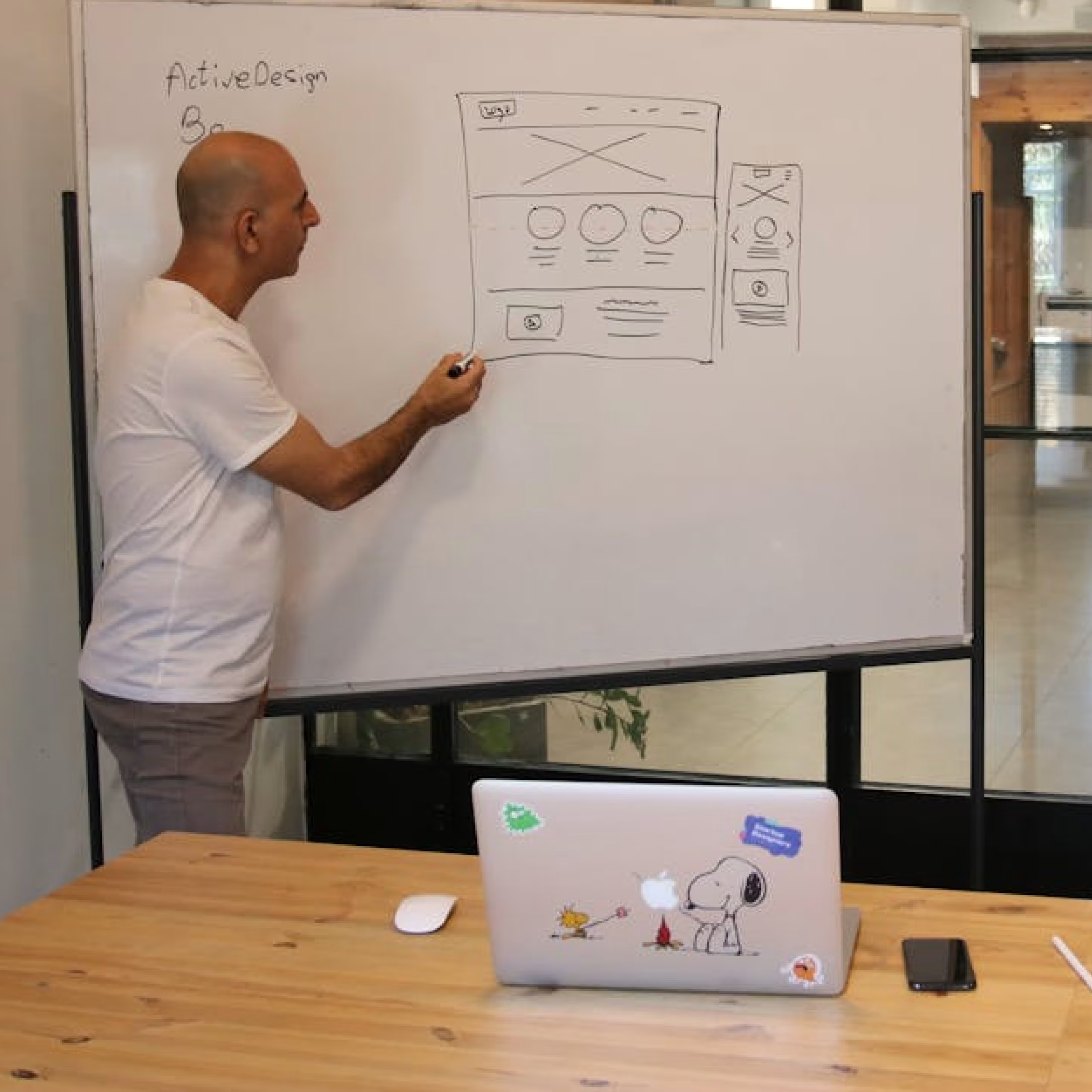
Type of image: Design Ideation ( Image credits — Pexels )
[Common Redesign Mistakes]Common Redesign Mistakes That Undermine Results
Changing URLs Without Redirect Strategy: Changing URLs without implementing 301 redirects destroys search equity built over years. Every changed URL requires proper redirection to preserve rankings and inbound link value.
Prioritizing Aesthetics Over Function: Beautiful designs that obscure clarity or complicate pathways fail regardless of visual appeal. Interface design should support decision-making, not create additional cognitive load.
Treating Mobile as Secondary: 61% of site traffic originates from mobile devices. Designing desktop-first and adapting mobile afterward creates compromised experiences. Mobile-first thinking ensures core functionality works in constrained contexts.
Launching Without Measurement Infrastructure: Without proper analytics configuration, conversion tracking, and event monitoring, improvement becomes impossible. Measurement enables optimization.
Underestimating Content Quality: "We'll reuse existing content" frequently produces mediocre results. If copy lacks strategic messaging, keyword optimization, or user-centered value communication, visual redesign provides limited benefit.
Choosing Price Over Strategic Value: A $3,000 redesign may seem attractive compared to $30,000. But if the less expensive option fails to convert, it delivers negative ROI.
Well-executed redesigns typically generate 20–40% conversion improvement. For a business producing $500,000 annually, a 20% increase yields $100,000. A $30,000 investment delivering that return proves cost-effective.
[Redesign vs Optimization]When to Redesign Versus When to Optimize
Not every challenge requires comprehensive redesign. Strategic optimization often proves more appropriate.
Optimize when:
The current site is less than two years old
Core structure and UX remain sound
Specific conversion points need improvement
Budget or timeline constraints exist
Redesign when:
The site exceeds the typical 1.5 to 2.5 year refresh cycle
Conversion performance sits significantly below industry averages
Mobile experience creates substantial barriers
Brand positioning has evolved substantially
Technology infrastructure presents security or maintenance risks
[Final Considerations]Final Considerations
Website redesign represents strategic investment, not expense. When conversion rates suffer, mobile experiences fail, or competitive positioning weakens, the cost of inaction exceeds redesign investment.
88% of users are less likely to return after poor experiences. First impressions form in 50 milliseconds. There are no second chances.
Effective redesign requires research-backed UX design, conversion-focused UI implementation, technical SEO preservation, mobile optimization, and continuous post-launch improvement.
The question is not whether you can afford a website redesign. It's whether you can afford continued conversion loss while competitors capture opportunities your site inadvertently deflects.
Type of image: Website Metrics ( Image credits — Pexels )
[Next Steps]Next Steps
If conversion performance or user experience concerns are impacting business outcomes, a UX audit provides clarity before committing to full redesign.
At Tangle, we begin with comprehensive website audits identifying specific friction points, conversion barriers, and optimization opportunities. This diagnostic approach ensures design decisions address actual problems rather than assumed issues.
Website Audit: Detailed analysis of current performance, user experience gaps, and conversion opportunities.
Strategic Consultation: Discussion of whether comprehensive redesign, targeted optimization, or phased improvement best serves business objectives.
Your website should accelerate growth, not constrain it. Let's ensure it does.
I’m a product designer who loves making digital experiences feel simple, thoughtful, and human. I enjoy breaking down messy problems, designing clear interfaces, and often building what I design with AI. I’m curious by nature and like exploring ideas across web, mobile, and new tools.

.avif)