How We Improved Shopify Speed by 40%: Kadam Haat Performance Optimization Case Study
Slow Shopify stores lose customers before they engage.
This case study shows how speed optimization improved Core Web Vitals and conversions for a growing ecommerce brand.
Siddhi Shelke
-
February 17, 2026
[Performance Audit]The Challenge: Performance Degradation Impacting Shopify Store Speed
Kadam Haat is a handcrafted e-commerce brand specialising in artisan products. As the store grew with more products, immersive content, and customer experience features, Shopify store performance began to degrade noticeably on mobile devices where most traffic originated. Slow page loads, delayed product image rendering, and unresponsive interactions were affecting bounce rates and conversion metrics.
When Tangle conducted a comprehensive Shopify performance audit, the data revealed significant issues across Core Web Vitals and overall page speed. The slowdown stemmed from heavy media files, theme code overhead, and third party app scripts accumulating over time. These Shopify performance issues are common as stores scale and add functionality without proper optimisation.
Shopify Dashboard ( Image credits — Tangle )
[Root Cause Analysis]Initial Performance Audit: Establishing the Baseline
After confirming the issue, we analyzed what was actually slowing the site down.
Key contributors included:
App overload: Multiple third-party apps were loading scripts across all pages, even when their functionality was only required on product or cart pages. Some apps overlapped in purpose, increasing script weight unnecessarily.
Heavy images and media: Large banner images and high-resolution product visuals were increasing page weight. In some sections, heavy videos were loading early, directly affecting LCP.
Font and design overhead: Custom fonts and decorative elements were delaying text rendering, particularly on slower mobile networks.
Unused code and hidden sections: Unused CSS, app snippets, animations, and hidden sections were still being loaded in the background, adding unnecessary work for the browser.
Rather than treating these issues individually, we evaluated how they collectively impacted the critical loading path.
Once root causes were identified through comprehensive Shopify performance testing, we developed a prioritized optimization strategy focused on changes that would deliver the greatest impact on Core Web Vitals and user experience.
The approach prioritized high impact changes that directly improved LCP, TBT, and CLS metrics; preserved essential ecommerce functionality and user experience; and validated each optimization with measurable before and after testing. This systematic Shopify speed optimization methodology ensures improvements are real and sustainable, not just better lab scores that don't translate to actual user experience gains.
Optimization 1: Removed Interruptive Popups
The change: Completely removed the newsletter popup that appeared on page load and the discount popup overlay. Replaced newsletter capture with an auto checked subscription option during checkout process.
Why it improved performance: Newsletter popup was loading 180 KB of JavaScript early in page lifecycle, blocking main thread and increasing Total Blocking Time by 220 ms. Popup script execution prevented browser from rendering visible content, directly impacting LCP. The overlay also caused layout shift (CLS) as it appeared after initial render, creating jarring visual experience particularly on mobile devices.
Impact: Reduced Total Blocking Time by 220 ms, eliminated layout shift from popup appearance, improved LCP by removing script dependencies, and maintained newsletter acquisition rate without performance trade offs.
Newsletter Popups
Optimization 2: Restricted Rebuy App to Product and Cart Pages Only
The change: Removed all Rebuy upsell/cross sell sections from homepage and collection pages. Restricted Rebuy functionality exclusively to product detail pages and cart, disabling global script loading.
Why it improved performance: Rebuy is a powerful upsell tool but script heavy at 340 KB total. Loading it site wide caused JavaScript to execute on every page, significantly increasing Total Blocking Time and hurting LCP, even on pages where upsells provide no value. Running globally meant homepage and collection pages paid performance cost without gaining any business benefit.
Measurable impact: Reduced JavaScript execution on homepage and collection pages by 340 KB, improved Total Blocking Time by 380 ms on non product pages, faster initial page load across 60% of site pageviews, while preserving all valuable upsell functionality where customers actually make purchase decisions.
Optimization 3: Image Optimization and Hero Image Preloading
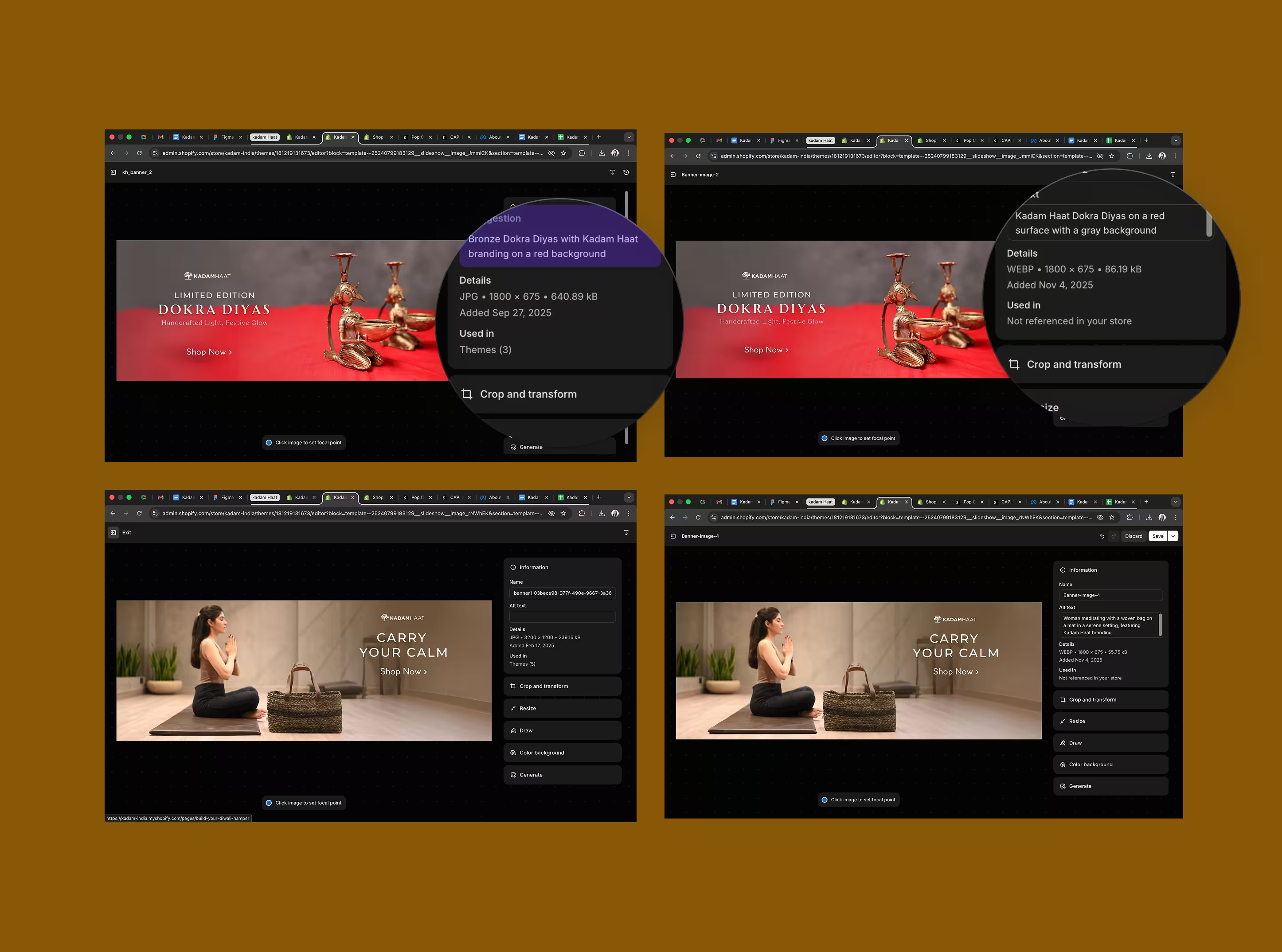
The change: Resized all homepage and collection banner images to actual display dimensions, compressed all product images using TinyPNG and ImageOptim, converted large JPEG banners to WebP format, and implemented proper preloading for above the fold hero image with responsive srcset for different device sizes.
Why it improved performance: Homepage hero banner at 2.8 MB was the Largest Contentful Paint element, directly delaying first visible render. Unoptimized images particularly hurt mobile users on slower networks where images accounted for 78% of page weight, creating unnecessary bandwidth usage and extended load times.
Measurable impact: Hero banner reduced from 2.8 MB to 180 KB (94% reduction), product images decreased from 1.5 to 2 MB to 120 to 150 KB average (92% reduction), overall homepage weight dropped from 8.2 MB to 1.4 MB (83% reduction), and LCP improved from 4.8 seconds to 2.1 seconds on mobile (56% improvement). Homepage now loads 5.8x faster in terms of page weight with significantly better experience on 3G/4G mobile networks.
Image Optimization
Optimization 4: Font Loading and Design Optimization
The change: Switched to system fonts for body text (no HTTP request needed), optimized brand font loading with font display swap, moved custom fonts to Shopify CDN for faster delivery, and reduced custom font files from 3 to 1 (keeping only brand headers).
Why it improved performance: Custom font files totaling 420 KB were render blocking and loading synchronously, delaying text visibility and hurting perceived speed. External font hosting added additional DNS lookup time, and fonts caused Flash of Invisible Text (FOIT), making page feel slower even when other content was ready.
Measurable impact: Text visible 1.2 seconds faster on mobile, eliminated Flash of Invisible Text (FOIT), reduced font related file size from 420 KB to 85 KB, maintained brand identity for headers while improving body text performance, and better typography rendering on all devices.
Optimization 5: Code Cleanup (Scripts, CSS, and Animations)
The change: Removed approximately 2 MB of unused CSS and JavaScript, cleaned up leftover code from previously uninstalled apps, removed unused animation libraries and visual effects, eliminated duplicate jQuery instances, and removed five hidden sections still loading in DOM.
Why it improved performance: Hidden scripts and animations were running in background even when not visible, increasing Total Blocking Time and slowing interactions. Unused code made the browser work unnecessarily, duplicate libraries caused conflicts and processing overhead, and theme file bloat made future maintenance and updates difficult.
Measurable impact: Reduced Total Blocking Time by 180 ms, smoother scrolling and interaction responsiveness, cleaner and more maintainable theme codebase, easier for future development and updates, and improved Shopify theme editor performance.
Optimization 6: Media and Embed Optimization
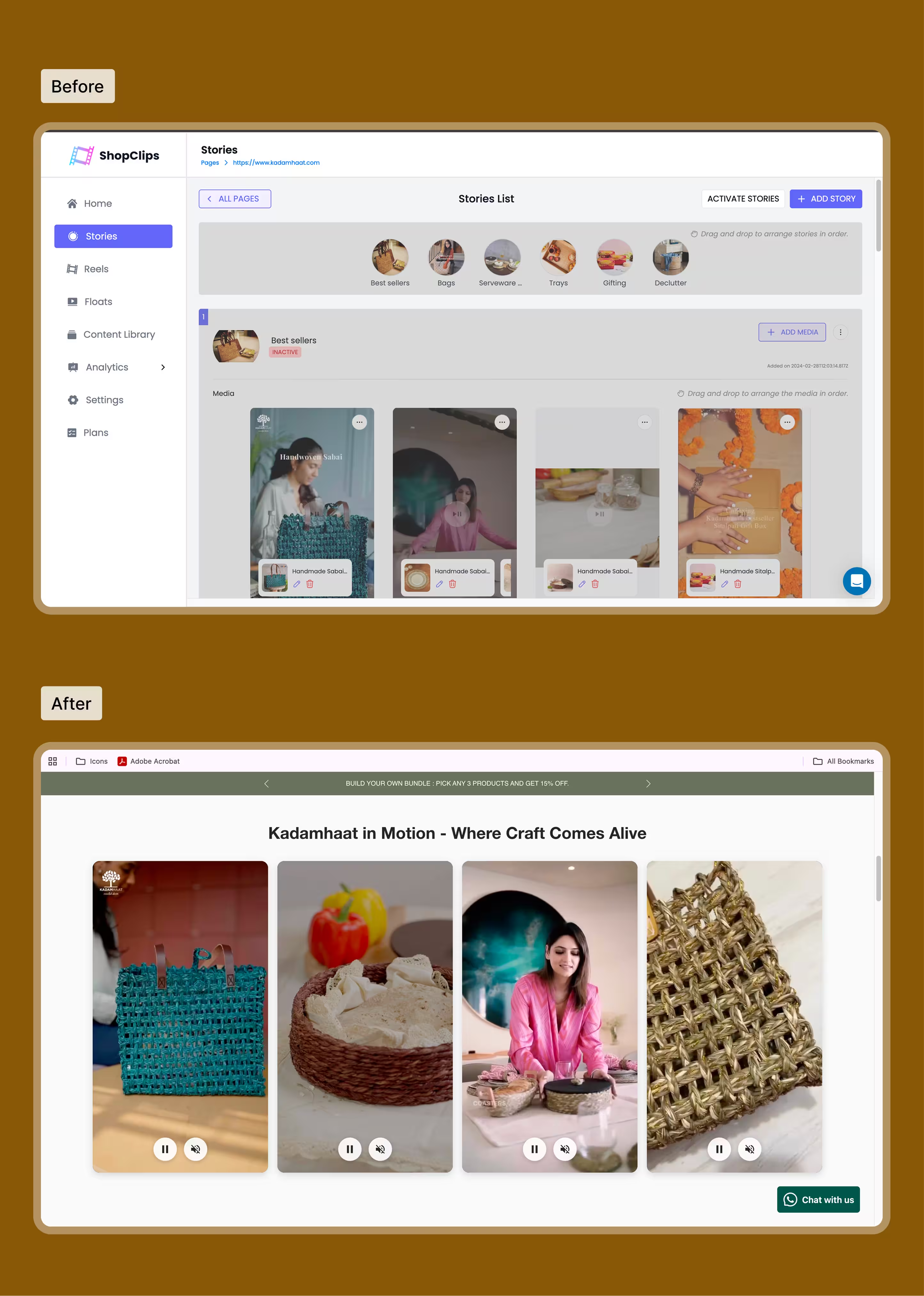
The change: Replaced 52 MB background video with compressed 1.8 MB MP4 version using modern H.264 codec, moved homepage story section video below collection list to avoid first fold loading, implemented lazy loading for all video embeds with intersection observer, added poster images for videos, and disabled autoplay except where critical for user experience.
Why it improved performance: 52 MB video loading on homepage was massive performance bottleneck, particularly for mobile users. Videos loading in first fold delayed LCP significantly as browser had to download and process massive files before showing content. Autoplay videos consumed bandwidth and processing power unnecessarily, and mobile users often could not even see videos but paid the performance cost.
Measurable impact: Homepage story video reduced from 52 MB to 1.8 MB (97% reduction), additional videos compressed to 800 KB to 2 MB range, significant reduction in page weight (removed 50+ MB from initial load), faster initial render as critical path no longer blocked by video, improved LCP by deferring heavy media until after first paint, better mobile experience with lower bandwidth consumption, and smoother browsing on slower connections.
Media and Embed Optimization
Optimization 7: Removed Hidden Sections and Unused Themes
The change: Identified and removed five hidden homepage sections still loading in DOM, deleted old seasonal promotion sections that were disabled but not removed, removed duplicate Shopify themes from store (kept only active and backup), and cleaned unused theme files from previous customizations.
Why it improved performance: Hidden sections still consume browser resources even when not visible, with each section adding HTML to DOM and increasing parsing time. Old themes slow down Shopify admin and theme editor, while unnecessary files create confusion during maintenance and updates.
Measurable impact: Reduced unnecessary background loading, improved backend Shopify admin performance, cleaner long term site management and maintenance, easier onboarding for future developers, and reduced risk of accidentally re enabling broken or outdated features.
After implementing all Shopify speed optimizations systematically, we conducted comprehensive testing using the same methodology and tools as the initial audit to measure improvements. This approach ensures we measured real performance gains, not temporary fluctuations. We tested across the same devices, network conditions, and page types to provide accurate before and after comparisons of Shopify store performance.
Core Web Vitals Improvements
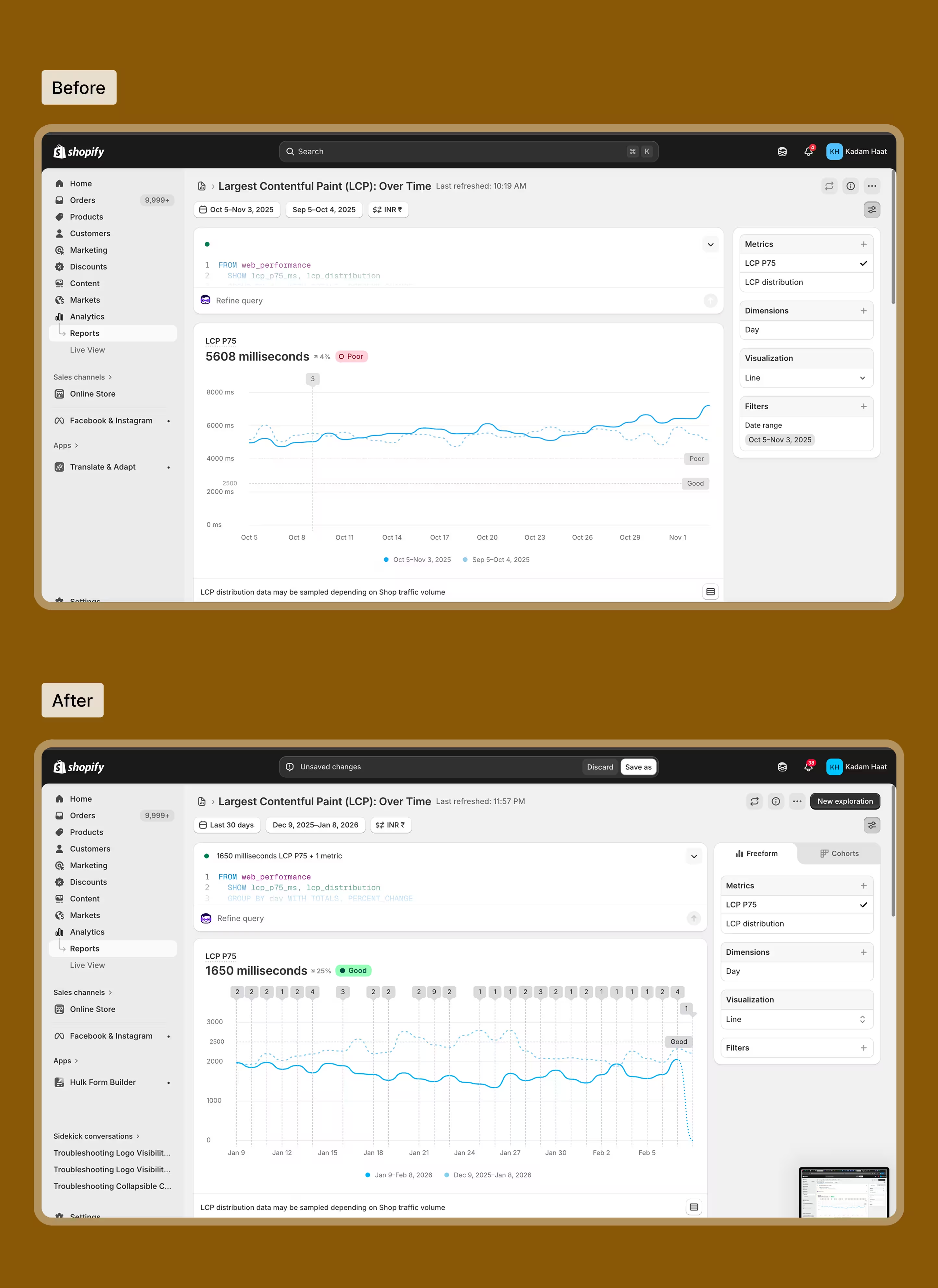
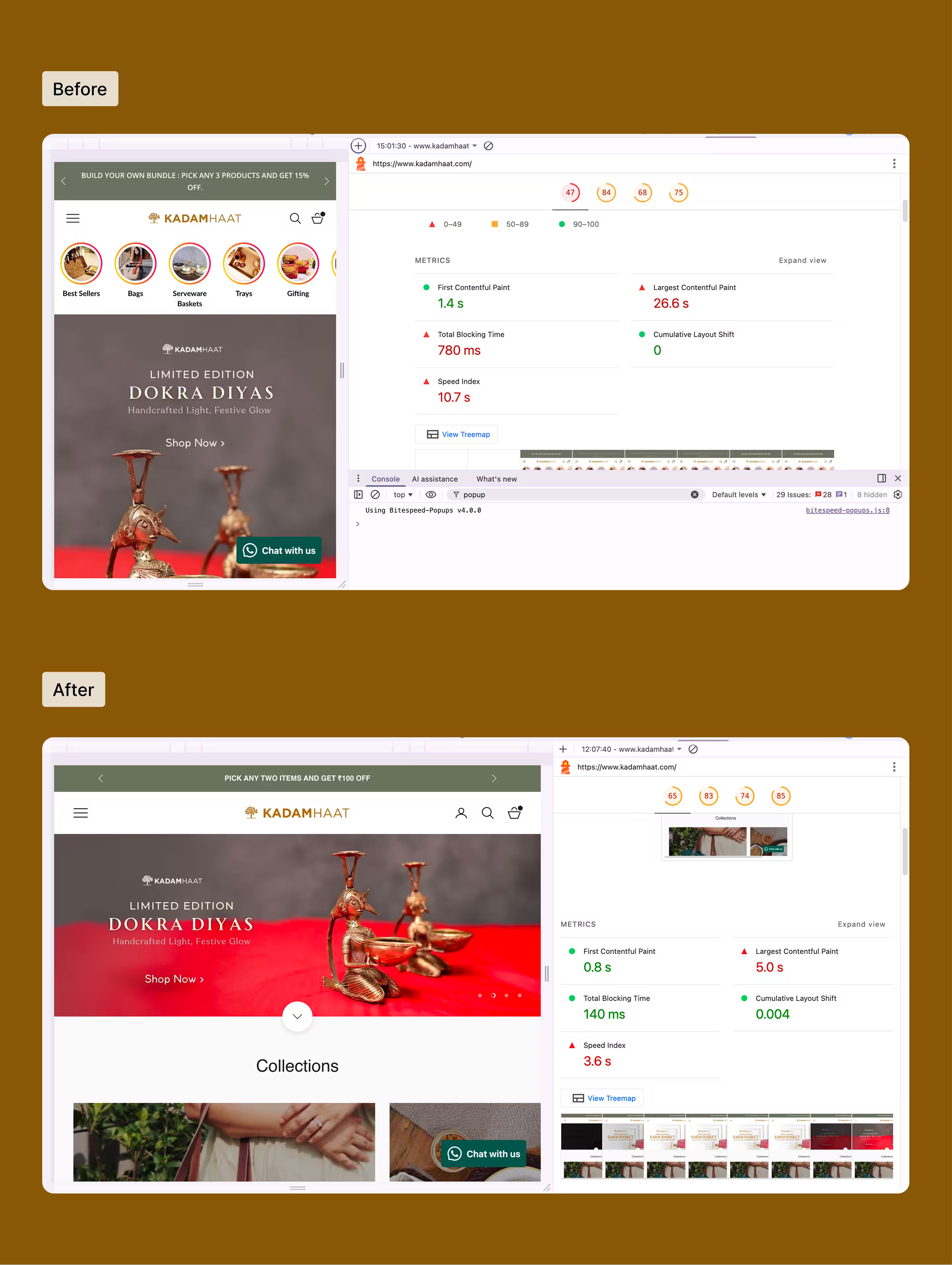
Largest Contentful Paint (LCP): Before 4.8 seconds (mobile), 3.2 seconds (desktop). After 2.1 seconds (mobile), 1.6 seconds (desktop). Improvement of 56% faster on mobile, 50% faster on desktop, moving from Poor to Good on Google's scale.
Total Blocking Time (TBT): Before 890 ms (mobile). After 240 ms (mobile). Improvement of 73% reduction in JavaScript blocking time with significantly improved interaction responsiveness.
Cumulative Layout Shift (CLS): Before 0.18. After 0.04. Improvement of 78% reduction in visual instability, moving from Needs Improvement to Good.
PageSpeed Insights Scores
Mobile:
Before 38/100.
After 82/100. Improvement of +44 points (116% improvement).
Desktop:
Before 62/100.
After 94/100. Improvement of +32 points (52% improvement).
Page Weight and Load TimeHomepage total size:
Before 8.2 MB.
After 1.4 MB. Improvement of 83% reduction.
Average page load time (3G mobile):
Before 8.4 seconds.
After 3.1 seconds. Improvement of 63% faster.
Number of HTTP requests:
Before 127 requests.
After 48 requests. Improvement of 62% fewer requests.
Speed Optimization Results
[Business Impact]Business Impact and Ecommerce Performance Improvements
Shopify speed optimization delivered measurable improvements beyond technical Core Web Vitals metrics. These performance gains translated directly into better user engagement, higher conversion rates, and increased revenue. For ecommerce businesses, every second of improved page load speed creates measurable business value through reduced bounce rates and increased sales.
User engagement improvements: Bounce rate on mobile decreased from 58% to 41%, meaning significantly more visitors stayed to browse products instead of leaving immediately. Average session duration increased by 34%, indicating customers were more engaged and exploring more products when pages loaded faster.
Conversion rate improvements: Mobile conversion rate increased from 1.8% to 2.4% (33% improvement) within the first month of implementing Shopify speed optimizations. Add to cart rate on product pages increased by 22%, showing faster image loading and better interaction responsiveness directly encouraged purchasing behavior.
Search visibility and SEO improvements: Organic search traffic increased by 18% quarter over quarter after Google re indexed pages with improved Core Web Vitals. Several high value product pages moved from page 2 to page 1 of search results for target keywords, demonstrating how Shopify page speed directly impacts SEO rankings and organic visibility.
The systematic approach to Shopify speed optimization demonstrated how addressing performance bottlenecks methodically produces consistent improvements in both technical metrics and business outcomes that matter most for ecommerce success.
Business Impact and Ecommerce Performance Improvements
[Ongoing Performance Maintenance]Maintaining Shopify Store Performance Over Time
Shopify speed optimization is not a one time project but an ongoing process.
Kadam Haat maintains performance through quarterly audits, reviewing new apps before installation, following image optimization standards for uploads, monitoring Core Web Vitals using Google Search Console, and documenting performance guidelines for team members.
This systematic approach ensures that performance improvements remain durable as the store continues to grow.
At Tangle, we work with ecommerce brands to identify and resolve performance bottlenecks that impact user experience and revenue. Our approach combines systematic performance audits with targeted optimizations designed to improve Core Web Vitals and conversion rates. If you're experiencing similar performance challenges with your Shopify store, we'd be happy to discuss how a structured optimization approach might help your business.
I’m a Product Designer at Tangle Design with a strong focus on user-centered strategy and business-driven design. I believe great design is not just about how it looks, but how it performs. From branding to complex app experiences, I ensure every interface is purposeful, structured, and aligned with long-term growth.